Number Picker Wheel - Pick Random Number by Spinning

Number Picker Wheel is a specialized random number generator, rng tool which picks a random number differently by spinning a wheel. Free and easy to use.
Pick a random number by wheel
10(Click to Expand)Table of ContentsShow/Hide7. What is Number Picker Wheel? 8. How to Use the Number Generator? 9. Wheel Customization? 10. File Storage - How to Save/Open/Delete File? 11. Create New and Switch Number Wheel 12. Enable Title Section 13. View All Results 14. Share Results 15. Full Screen View 16. Types of Action Modes 17. How to Share the App? 18. We Want to Hear Your Feedback 19. Need an Alternative Random Number Generator?
1. What is Number Picker Wheel?
Number Picker Wheel is a random number generator (RNG) tool used to pick a random number by spinning the wheel. This is another specialized spinner of Picker Wheel focusing on a number generator.
There are two result mode that you can choose for your application. 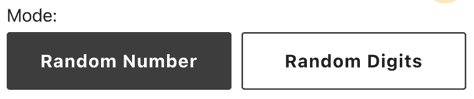
The Random Number result mode is based on range or formula input methods. This is useful when you only need less than 1000 (Desktop/Tablet) or 500 (Mobile) different numbers. You can’t put more than these numbers due to the size limitation of the wheel. By default, it is a 10 value spinner. 
The number randomizer will choose a number after a spin.
For the Random Digits, these are the spin and combine result mode. The wheel produces a single digit (0-9) from each spin and combines all the digits to become a final number. It can have a random number from 0 - 999999.
You can do a lot of activities with this number generator.
2. How to Use the Number Generator?
2.1. Random Number Mode (Single Infinite Number)
Range Input Method
You can set the Min, Max, and Interval fields. The wheel will produce a list of numbers based on these values.
- Write the Min, Max, and Interval values. There are only up to 1000 (Desktop/Tablet) or 500 (Mobile) portions allowed.
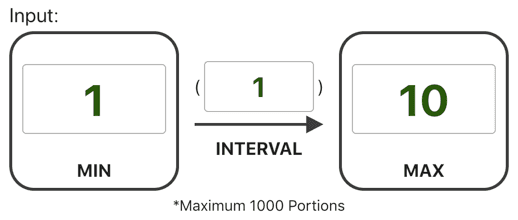
- The wheel will be updated with the latest inputs.
- You can also exclude certain numbers to be shown on the wheel by providing the numbers in the exclude field.
 Formula Input Method
You can write several formulas to produce the list of numbers you want. Below is the formula table. 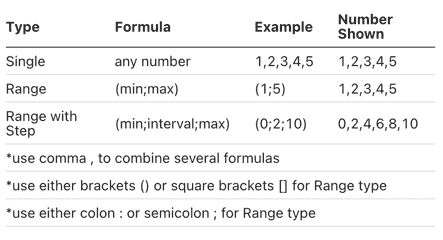
-
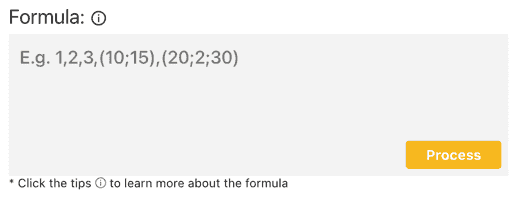
Write the formulas you want in the formula input field.
-
Click the process button.
-
The wheel will be updated with the latest formula. Then for Both Input Methods
-
Click the spin button or press “Ctrl + Enter” keys to start spinning the random number picker.

-
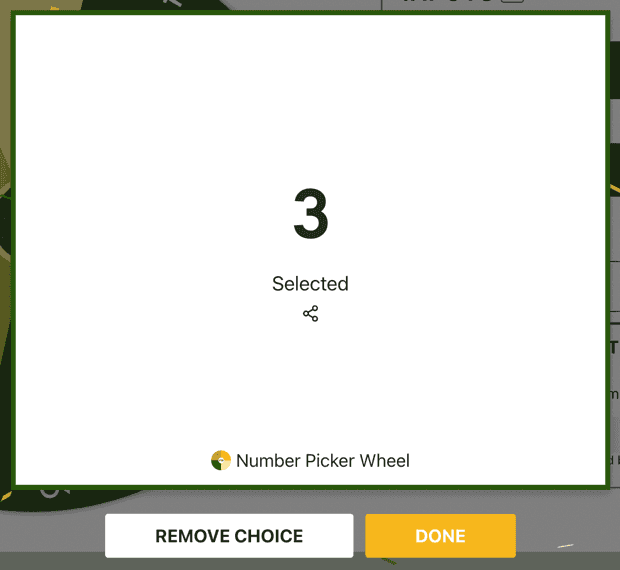
The random number is produced and displayed on a popup.
-
Two action modes are available, which are normal mode and elimination mode. Choose one of the action modes towards the result.
-
Click the shuffle button to shuffle the available numbers of the random number generator.

2.2. Random Digits Mode (Spin and Combine)
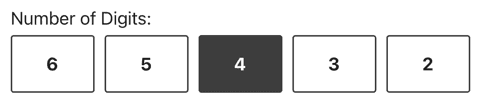
- Pick the desired number of digits you want to show.
- You can also set the range of each digit from 0 to 9.
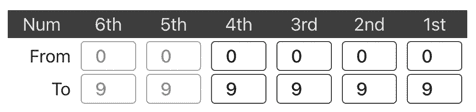
- Click the Spin button to start spinning.
- The digit result from each spin is displayed on these boards. You can tap on the board to spin that particular digit.
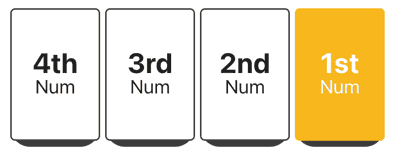
- Enable the automatic spinning by toggling this button. Else you have to spin the digit one by one manually.

- You can reset the digits by clicking this reset button.
 So, these are the instructions for using the Random Digits result mode of Number Picker Wheel. It is pretty quick and straightforward. You may also customize the interface, view the history, and switch to full-screen mode. Continue reading to learn more about these.
3. Wheel Customization?
The wheel can be customized or configured in a variety of ways to match different use cases.
You can easily do this in the Tool Settings section (below the wheel section). The tool settings is located at: (click to expand) 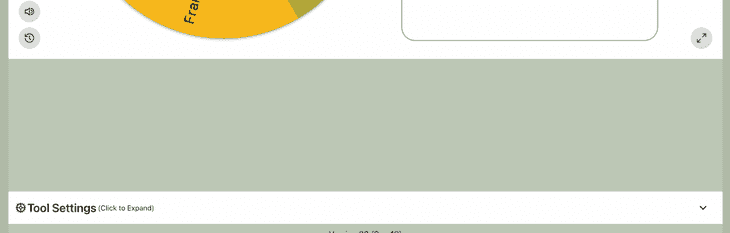
The following settings can be changed:
-
Spin Behavior
-
Spinning speed (lvl1 to lv10).
-
Spinning duration (1s to 30s).
-
Enable manual stop button.
-
Mystery spin (replace inputs on wheels with “?”)
-
Spin count
-
Random initial angle.
-
Initial Spinning
-
Confetti & Sound
-
Disable/Enable confetti.
-
Sound on/off.
-
Customize starting, spinning, and ending sounds.
-
Tool Colors - Change the wheel colors with several themes provided.
-
Background Color - Change the background color of the whole section.
-
Background Image - Add a background image at the wheel section. (Premium Users)
-
Spin Button - Customize your own spin button. (Premium Users)
-
Banner | Logo - Adding your own logo or banner. (Premium Users)
*Customize wheel with your own wheel sounds, colors and background color. (Premium Users)
4. File Storage - How to Save/Open/Delete File?
By default, all inputs with the most recent status are saved in your browser’s storage. As a result, you will be able to access the same data the next time you visit using the same browser. *Please keep in mind that if you clean your browser’s history or your browser’s memory becomes overloaded, the data may be lost.
You can save more lists to the Picker Wheel cloud storage. This only applies to logged-in users. Signing up for an account is free. Click the menu button (top right of the page) and sign up. 
For logged-in users, you have more benefits for the file storage.
- You can save more than 1 file. (Free Users - 7 Files available, Premium Users - Up to 100)
- You can access your file with any device anywhere anytime.
- Feeling peace of mind without worrying the data loss.
There are two types of file in Number Picker Wheel which are “List” type and “Share” type.
List type - This is the file type you will see after saving your list of data. This is private and only you can open and edit.
Share type - Once you create a share link from any private List file, the file now becomes a Share file, it is viewable/copyable by others, but only you have permission to edit. The process of converting a List file to a Share file is irreversible.
4.1. How to Save?
- Once you have done preparing your data. Click the “File” button. Choose “Save List as..”.

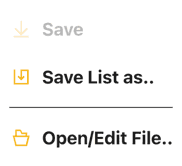
- Choose a file to save then assign it with a name. You may also replace the same type of old file. It will save your data with their latest statuses. You may tick “Include current settings” to include your current tool settings e.g. tool colors.
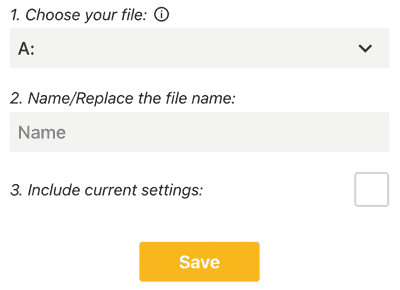
- You can only choose “Save List as..” when want to save fresh data to a new file or replace another file. You can see the “Save” button available to click once you have a file saved before. The “Save” button allows you to instantly save the data to the current file.
4.2. How to Open/Delete File?
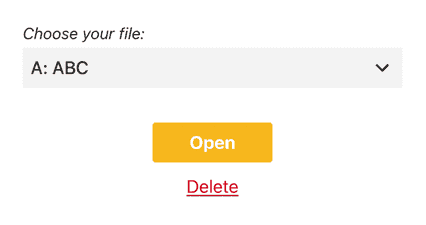
- Click the File button. Choose Open/Edit File.. button.
- For open: Choose a file to open. You can open and edit your “List” type and “Share” type of file from here.
- For delete: Choose a file to delete. You can delete the “List” type and “Share” type of file from here.
5. Create New and Switch Number Wheel
There is a switch wheel button located at the header bar (desktop version) or inside the file button menu (mobile version). 
Click the “Create New Wheel” button to get a new empty default Number Picker Wheel. You can produce up to five number wheels and switch back and forth among them. For example, you can design different sets of wheel of numbers. *Please take note only the data of the current active wheel is kept for the next visit. Once you refresh the page, all wheels other than the active wheel will be lost.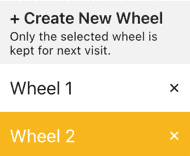
6. Enable Title Section
If you change the title to your own, your visitors will know the purpose of your number generator wheel, such as “Giveaway Contest Winner”.
You can open or close the title section by clicking the Title Button from the Inputs section. 
And write down the texts. There are title, description and popup message. 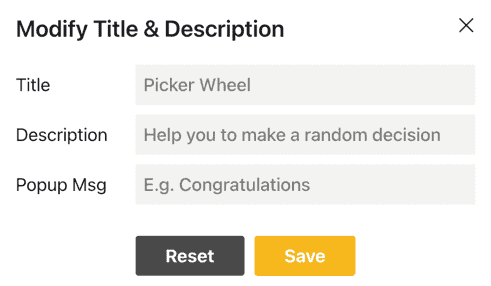
The title will be shown alongside the outcome when it is revealed. 

7. View All Results
Click the “Open All Results” button to see all of your previous numbers generated. 
It will show all of the random numbers generated by the wheel since the first spin of your current visit. 
You can click the “Open Results” button to open the results page where you can share it with other people. 
You can clear all the records by clicking the “Clear Results” button. 
8. Share Results
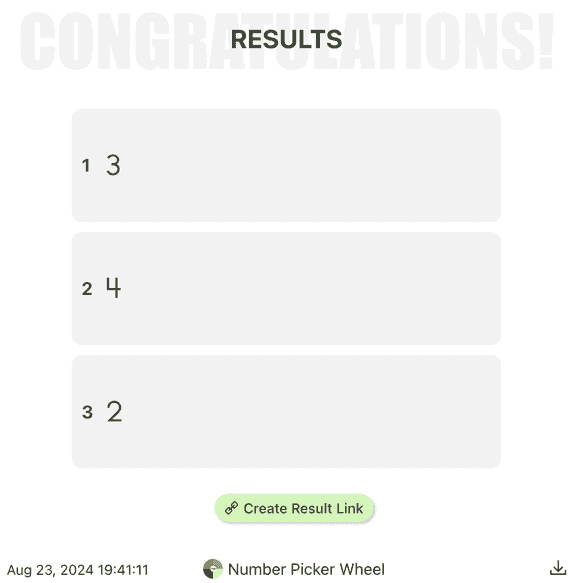
There are two kinds of result you can share. One is single result and another one is all results.
- Single Result. The only way to share your single result is at the moment the result is announced. Click the share icon.

- All Results. After you open results page, you can create a result link to share with other people. You can also download the results image at the result page.
9. Full Screen View
By clicking the full-screen button, you can enter or leave the full-screen view mode. (Available on a tablet and desktop device) 
Entering full-screen mode enlarges the size of the wheel picker and hides the inputs section. 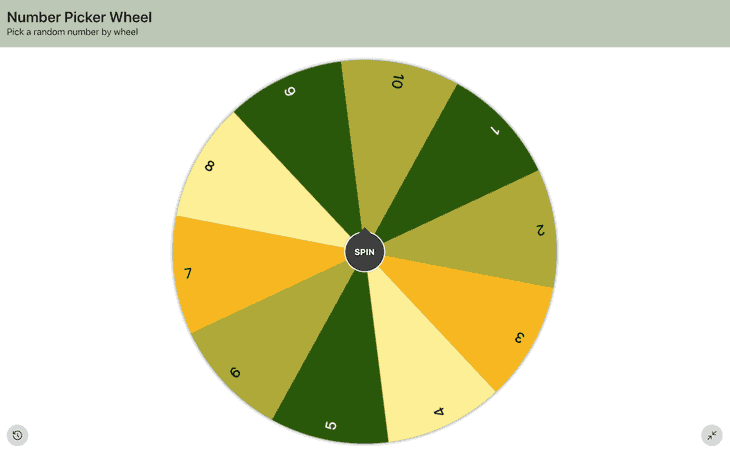
You can still see your results or scores from the “Open All Results” button.
10. Types of Action Modes
For the Random Number result mode, two modes are available in this number randomizer for different use cases. For the Random Digit result mode, there is only the normal mode available.
10.1. Normal Mode
You’ll recognize this mode if you’ve ever used the main Picker Wheel; it works the same way on this random number wheel. When you choose this mode for the result selected, it does not impact the result.
Use Case 1
This number picker can be used in a giveaway event. Where each of the gifts is assigned a number. The eligible participant can spin the wheel to pick a number to get their gift.
Use Case 2
Teachers can use the default 10 value spinner to teach their students about numbers. By using the wheel, the learning process will be more enjoyable.
10.2. Elimination Mode
This mode is again similar to the original Picker Wheel’s elimination mode. The difference is it will permanently remove the result selected from the wheel if you select this mode.
Use Case 3
This random number picker application can also be used in a giveaway event. Where each participant is holding a number themselves, the gifts will be given one by one based on the number generated by this random number generator.
11. How to Share the App?
Click the share button from the top right corner of the website.

Decide “Allow people copy the wheel”?
Choose whether to include your current wheel’s tool settings e.g. wheel colors.
Click “Create Share Link”.
Copy the link’s address or click the Copy or Facebook or Twitter buttons to share this Random Number Generator with other people.
Please spread this application to your friends and family if you find this application is beneficial.
12. We Want to Hear Your Feedback
If you have any feedback or discover any bug on this random number generator. Please feel free to let us know. Your feedback is important to us to improve the number generator.
13. Need an Alternative Random Number Generator?
If you want more customized inputs such as inserting alphabet letters. You can use the main Picker Wheel application. You can put in each of the inputs and finally also let the wheel decide for you.
Let’s Use Number Picker Wheel to Pick a Number. Happy Playing!
Roleta de Nomes Online Grátis para Sorteios e Decisões
Este site coleta apenas artigos relacionados. Para visualizar o original, por favor, copie e abra o seguinte link:Number Picker Wheel - Pick Random Number by Spinning